

TonerStream TonerStream

Developers for Printers and Copiers

Type: Developer
FILTER
clear filters
Recommended
Type

Color

Grams
to
clear filters
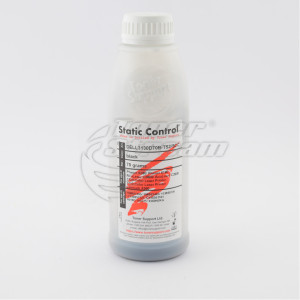
Static Control
Black
  • 70 gr.
DELL3130D70B-TS2-SCC
in stock
price
14. 16 EUR
Compare Add to favorites
All prices include 20% VAT
Added to cart
buy Add to cart
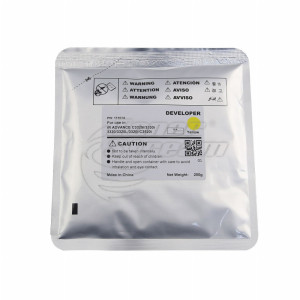
CET Group
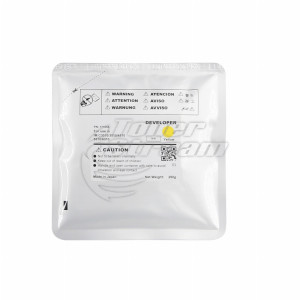
Yellow
Developer

CANC3330D200Y-CET

  • 200 gr.
CANC3330D200Y-CET
in stock
price
50. 32 EUR
Compare Add to favorites
All prices include 20% VAT
Added to cart
buy Add to cart
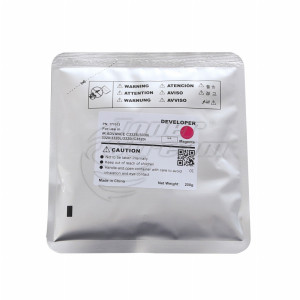
CET Group
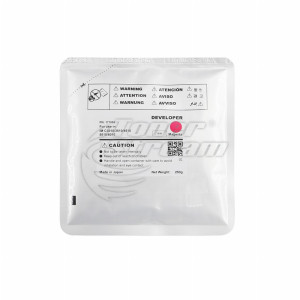
Magenta
Developer

CANC3330D200M-CET

  • 200 gr.
CANC3330D200M-CET
in stock
price
50. 32 EUR
Compare Add to favorites
All prices include 20% VAT
Added to cart
buy Add to cart
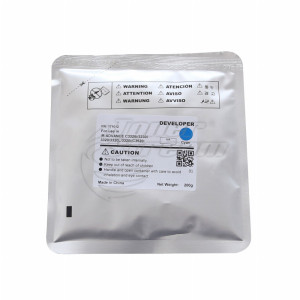
CET Group
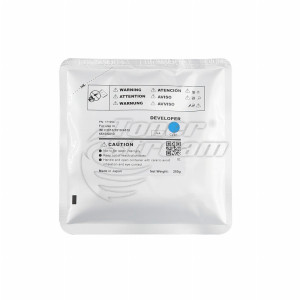
Cyan
Developer

CANC3330D200C-CET

  • 200 gr.
CANC3330D200C-CET
in stock
price
50. 32 EUR
Compare Add to favorites
All prices include 20% VAT
Added to cart
buy Add to cart
CET Group
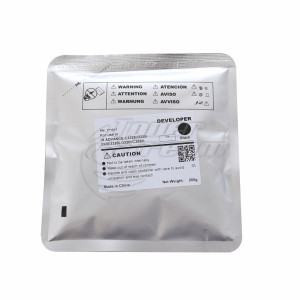
Black
Developer

CANC3330D200B-CET

  • 200 gr.
CANC3330D200B-CET
in stock
price
50. 32 EUR
Compare Add to favorites
All prices include 20% VAT
Added to cart
buy Add to cart
CET Group
Yellow
  • 160000 copies
  • 250 gr.
RICIMC3510D250Y-OEM
pre-order
price
93. 32 EUR
Compare Add to favorites
All prices include 20% VAT
Added to cart
buy Add to cart
CET Group
Magenta
  • 160000 copies
  • 250 gr.
RICIMC3510D250M-OEM
pre-order
price
93. 32 EUR
Compare Add to favorites
All prices include 20% VAT
Added to cart
buy Add to cart
CET Group
Cyan
  • 160000 copies
  • 250 gr.
RICIMC3510D250C-OEM
pre-order
price
93. 32 EUR
Compare Add to favorites
All prices include 20% VAT
Added to cart
buy Add to cart
CET Group
Black
  • 600000 copies
  • 250 gr.
RICIMC3510D250B-OEM
pre-order
price
74. 65 EUR
Compare Add to favorites
All prices include 20% VAT
Added to cart
buy Add to cart
CET Group
Monochrome
Developer

SHARMX2310D195-CET

  • 195 gr.
SHARMX2310D195-CET
pre-order
price
58. 13 EUR
Compare Add to favorites
All prices include 20% VAT
Added to cart
buy Add to cart
Xerox
Black
Developer

XALC8170D180B-OEM

  • 180 gr.
XALC8170D180B-OEM
in stock
price
67. 02 EUR
Compare Add to favorites
All prices include 20% VAT
Added to cart
buy Add to cart
Xerox
Magenta
Developer

XALC8170D180M-OEM

  • 180 gr.
XALC8170D180M-OEM
in stock
price
67. 02 EUR
Compare Add to favorites
All prices include 20% VAT
Added to cart
buy Add to cart
64 - products

Clear text and accurately reproduced images depend on the proper functioning of the printing system. In printers and copiers with a two-component developing system, the developer plays a role in image formation. Therefore, its compatibility with the device is just as important as that of the toner.

At TonerStream, you will find developers for printers and copiers. To choose the right one, check the exact device model and the requirements of the developing unit.

What is the role of the developer?

In a two-component system, the toner works together with carrier particles that help charge and transport it to the photosensitive drum. The toner forms the visible text and images, while the carrier material helps ensure that it is supplied evenly. Proper mixing is important for clear printing and uniform print density. Therefore, the developer cannot replace the toner, nor can the toner replace the developer.

It is important to distinguish between developer material and the developer unit. The unit is the complete mechanism in which the material is mixed and supplied, and it includes rollers and other working components. Replacing the developer does not mean replacing the entire unit. Before purchasing, consult a technician to determine which of the two your machine requires.

How to choose the right developer?

Start with the full model designation of the machine and the unit code, if you know it. Similar device names do not guarantee that they use the same developer.

When comparing products, pay attention to the following:

  • Compatibility – check whether your model or unit code is listed among the compatible options, as similar designations do not guarantee compatibility;

  • Color – for color machines, choose the developer for the corresponding channel: black, cyan, magenta, or yellow;

  • Package weight – compare the package contents with the quantity required to service the unit;

  • Manufacturer and specifications – check whether the product is original or compatible and what application it is intended for.

Rely on the product description rather than just the image or product name. A larger package is not necessarily more suitable – what matters is the quantity required by your machine.

When should the developing system be inspected?

Uneven prints or changes in print quality are reasons to inspect the system, but they do not necessarily mean that the developer needs to be replaced. The cause may lie in another component, so it is best to identify the problem before placing an order.

To help the service technician assess the situation:

  • Prepare a sample print – choose a page that clearly shows streaks, faded areas, or other defects;

  • Record any display messages – if there is a warning or error code, provide it exactly as shown or take a photo;

  • Specify when the machine was last serviced – also indicate which consumables or parts were replaced, if you have this information.

This will help the technician determine which checks are necessary before recommending a replacement.

Match your purchase to the maintenance requirements

Before placing an order, confirm with the technician which developer is required and in what quantity. Replacement must follow the instructions for the specific model, including any settings required after the new material has been added.

If you use the machine every day, coordinate the service date with the delivery timeframe. This ensures that the developer is available when needed and prevents work from being delayed due to a missing consumable.

Explore the developers available at TonerStream and compare compatibility, color, and package weight. If you are unsure, send an inquiry with the exact machine model and the unit code, if available. This will help you identify the right product before placing your order.


FAQ – Frequently Asked Questions


  • Are developer and toner the same thing?

    No. Developer is a specialized material involved in transferring toner to the drum, while toner is the actual coloring substance. This is why developer is sold separately in gram-based quantities, for example, 200 g for CANC3330D200B-CET.

  • Do I need to replace the developer every time I change the toner cartridge?

    No, developer has its own service life and should be replaced according to its rated capacity. For example, the black developer for the Ricoh IM C3510 has an approximate yield of 600,000 copies, while the color developers have a yield of 160,000 copies. When yield information is available, it is provided in the product description.

  • Developer or developer unit – which one do I need?

    Developer is the material loaded into the unit, while the developer unit is the complete assembly. Each developer product description specifies the unit it is intended for. For example, CANC3330D200B-CET is designed for the Canon FM1-B267-020 unit. If the unit itself needs replacing, browse our developer units.

  • Can one developer be used in machines from different brands?

    For some products, yes. For example, DELL3130D70B-TS2-SCC is compatible with devices from Xerox, Lexmark, Epson, and Dell, including the Phaser 6180, X560, AcuLaser C3800, and Dell 3110. Therefore, check the list of compatible devices in the product description rather than relying on the brand indicated in the product code.


tonerstream
tonerstream