

TonerStream TonerStream

Multifunctional devices - p. 57

Printer type: MFP
FILTER
clear filters
Selected
Print color
Print format
Printer type

Tehnology

Status
to
clear filters
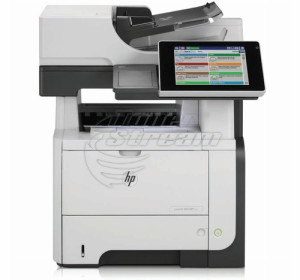
Hewlett-Packard
LaserJet Enterprise 500 MFP M525dn
Repair and consumables
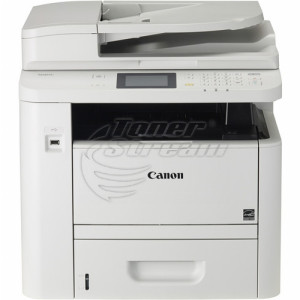
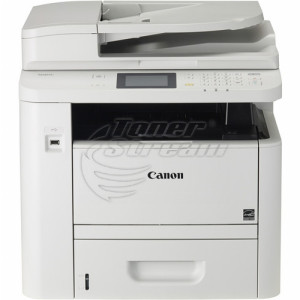
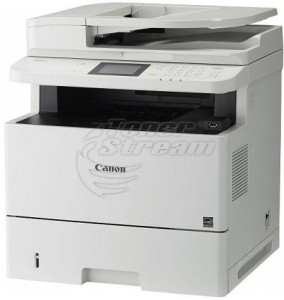
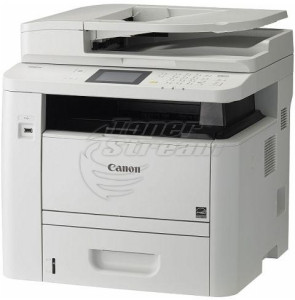
Canon
MFP, Laser, A4

i-SENSYS MF418

i-SENSYS MF418
Repair and consumables
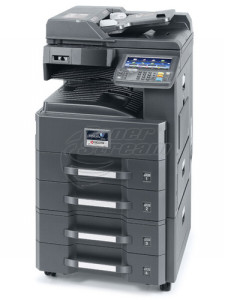
Kyocera/Mita
MFP, Laser, A3

TASKalfa 3010

TASKalfa 3010
Repair and consumables
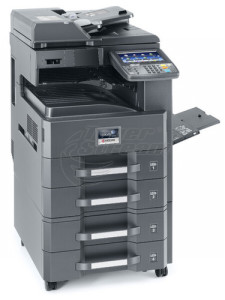
Kyocera/Mita
MFP, Laser, A3

TASKalfa 3510

TASKalfa 3510
Repair and consumables
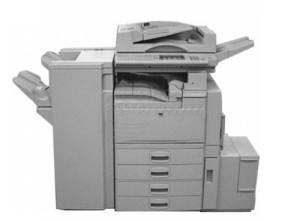
Ricoh
MFP, Laser, A3

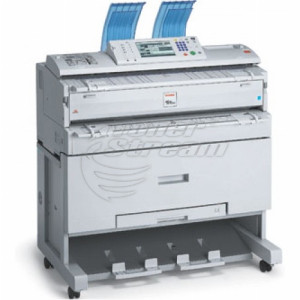
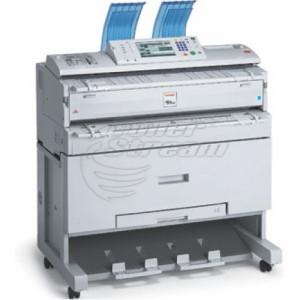
Aficio 350

Aficio 350
Repair and consumables
Canon
MFP, Laser, A3

ImageRUNNER ADVANCE C5030

ImageRUNNER ADVANCE C5030
Repair and consumables
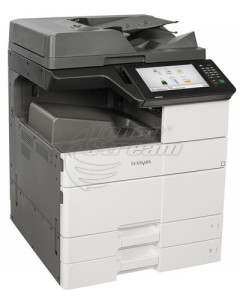
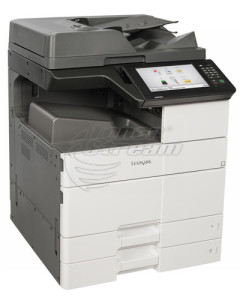
Lexmark
MFP, Laser, A4

MX610

MX610
Repair and consumables
Kyocera/Mita
MFP, Laser, A4

ECOSYS M3040dn

ECOSYS M3040dn
Repair and consumables
OKI
MFP, LED, A4

ES5461

ES5461
Repair and consumables
Sharp
MFP, Laser, A3

MX-2318

MX-2318
Repair and consumables
Sharp
MFP, Laser, A3

MX-2310

MX-2310
Repair and consumables
Sharp
MFP, Laser, A3

MX-2010

MX-2010
Repair and consumables
Triumph Adler
MFP, Laser, A4

DCC 2626

DCC 2626
Repair and consumables
Triumph Adler
MFP, Laser, A4

DCC 2726

DCC 2726
Repair and consumables
Ricoh
MFP, Laser, A3

Aficio MP C2011

Aficio MP C2011
Repair and consumables
Hewlett-Packard
Color LaserJet Enterprise M680 MFP
Repair and consumables
Ricoh
MFP, Laser, A3

Aficio MP C2503

Aficio MP C2503
Repair and consumables
Ricoh
MFP, Laser, A3

Aficio MP C2003

Aficio MP C2003
Repair and consumables
Xerox
MFP, Laser, A4

WorkCentre XD 135

WorkCentre XD 135
Repair and consumables
Xerox
MFP, Laser, A4

WorkCentre XD 120

WorkCentre XD 120
Repair and consumables
Xerox
MFP, Laser, A4

WorkCentre XD 105

WorkCentre XD 105
Repair and consumables
Xerox
MFP, Laser, A4

WorkCentre XD 103

WorkCentre XD 103
Repair and consumables
Xerox
MFP, Laser, A4

WorkCente XD 102

WorkCente XD 102
Repair and consumables
Xerox
MFP, Laser, A4

XE Series 84

XE Series 84
Repair and consumables
2388 - products

The multifunction devices category includes a wide selection of models that combine basic and advanced document processing functions in one compact and efficient solution.

In this section of Tonerstream, you’ll find not just printers, but devices that support printing, copying, scanning, and in many cases, faxing. They are suitable for various office environments – from individual workstations to departments with heavy daily workloads.

New multifunction devices, refurbished or for rent

Available devices come in three conditions:

  • new – with full manufacturer warranty;

  • refurbished – with verified components and technical servicing;

  • for rent – for temporary use or budget optimization.

All products undergo technical inspection and are delivered with full information about features, workload, print type, and connectivity options.

Features and specifications of the available devices

The variety of multifunction devices at Tonerstream covers a wide range of technical features to meet different professional needs and workloads.

Here are the main technical specifications and functional features to consider when choosing a multifunction device from this category:

  1. Print format
    Devices are available for A4 and A3, including specialized wide-format printing options. This provides flexibility for working with different types of documents – from standard office files to blueprints and marketing materials.

  2. Print type
    You can choose between:

  • monochrome models – suitable for cost optimization when handling high-volume internal documents;

  • color models – for needs that require high-quality visual presentation.

  1. Workload
    The devices in this category cover a wide range of volumes – from under 3,000 to over 300,000 pages per month. This allows selection based on actual usage intensity – from low workloads to industrial applications.

  2. Operating speed
    Models are available with print and copy speeds from 20 to over 60 pages per minute, speeding up daily tasks and reducing wait times.

  3. Functionality
    All multifunction devices support core and additional functions, including:

  • automatic duplex copying;

  • touchscreen display for easy operation;

  • scanning to email, FTP, and cloud;

  • fax module (on selected models).

  1. Connectivity and compatibility
    The devices offer connectivity options via Wi‑Fi, Ethernet, and USB. Major operating systems are supported. This ensures easy integration into existing IT environments and convenience for remote work.

  2. Additional advantages
    Many models come equipped with:

  • large paper trays (input and output);

  • automatic document feeder (ADF).

If you're looking for a reliable, functional, and cost-effective document handling solution, explore the available multifunction devices in this category.

Advantages of shopping at Tonerstream

Choosing a multifunction device through Tonerstream gives you access to real technical expertise, guaranteed quality, and a variety of price options. Key advantages include:

  • a wide selection of established brands: HP, Epson, Lexmark, Ricoh, Kyocera, OKI, Canon, and others;

  • filtering options by condition, format, print type, and additional functions;

  • option to purchase, rent, or inquire about long-term partnership;

  • service support and assistance with installation and setup;

  • current offers in the outlet section – with great deals on devices with verified technical condition.

At Tonerstream, we maintain real-time stock and fast delivery, and each model on the site is selected with efficiency, sustainability, and compatibility with modern office processes in mind.

Streamline your workflow, boost team efficiency, and invest in a multifunction device that works in your favor.


Frequently Asked Questions


  • What happens if one of the functions stops working?

    In multifunction devices, the functions are integrated, but a malfunction in one of them does not necessarily mean that the entire device becomes unusable. In case of an issue, you can take advantage of warranty service or technical support.

  • Is the maintenance of a multifunction device more expensive?

    Maintenance is not necessarily more expensive compared to separate devices. In many cases, combining multiple functions leads to lower overall costs and less occupied space.

  • Do multifunction devices support scanning to network or email?

    Many modern models support scanning to a network folder, email, or cloud services. The available features depend on the specific model and configuration.

  • Are multifunction devices suitable for home use?

    Yes, they are a convenient choice for home use, especially when a compact all-in-one solution for printing, copying, and scanning is needed. The choice depends on the frequency of use and the required features.

  • What should I know during the initial setup of a multifunction device?

    The initial setup usually includes driver installation and connection to a network or computer. If you need assistance, you can get support from our team.


tonerstream
tonerstream