

TonerStream TonerStream

Network printers - p. 6

Interface: Network
FILTER
clear filters
Selected
Print color
Print format
Printer type
Tehnology

Status
Interface
to
clear filters
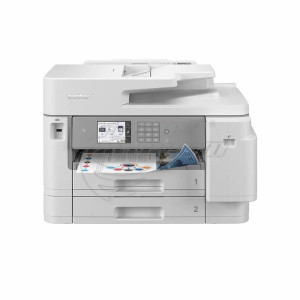
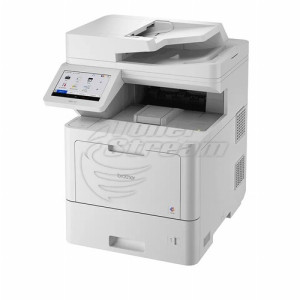
Brother
MFP, Laser, A4

MFC-L8690

All prices include 20% VAT
Added to cart
buy Add to cart
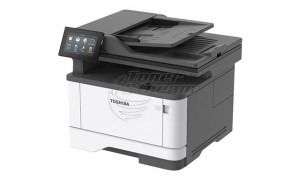
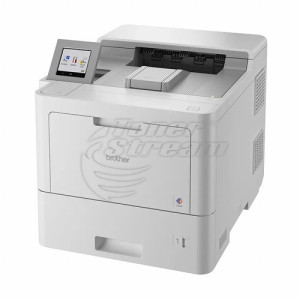
Brother
Printer, Laser, A4

HL-L8360

All prices include 20% VAT
Added to cart
buy Add to cart
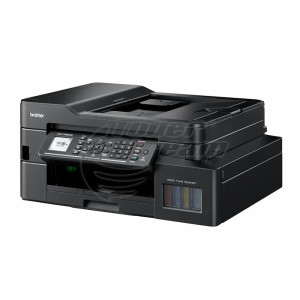
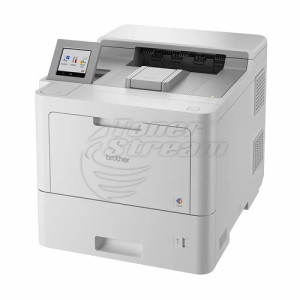
Brother
Printer, Laser, A4

HL-L8260

All prices include 20% VAT
Added to cart
buy Add to cart
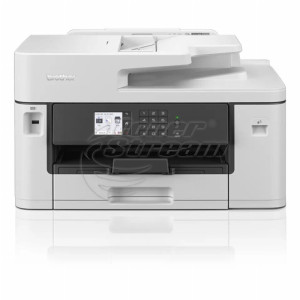
Brother
MFP, Laser, A4

MFC-L6900

All prices include 20% VAT
Added to cart
buy Add to cart
Brother
MFP, Laser, A4

MFC-L6800

All prices include 20% VAT
Added to cart
buy Add to cart
Brother
Printer, Laser, A4

HL-L6400

All prices include 20% VAT
Added to cart
buy Add to cart
Konica/Minolta
MFP, Laser, A4

Bizhub 4750

All prices include 20% VAT
Added to cart
buy Add to cart
Konica/Minolta
MFP, Laser, A4

Bizhub 3320

All prices include 20% VAT
Added to cart
buy Add to cart
Hewlett-Packard
MFP, Laser, A4

LaserJet Pro M521 MFP

All prices include 20% VAT
Added to cart
buy Add to cart
Hewlett-Packard
All prices include 20% VAT
Added to cart
buy Add to cart
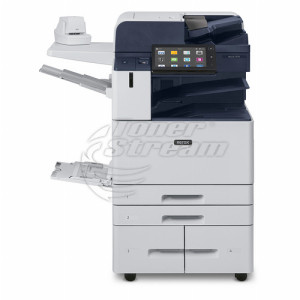
Xerox
MFP, Laser, A3

WorkCentre 5325

All prices include 20% VAT
Added to cart
buy Add to cart
131 - products

Today, sharing resources and fast communication are top priorities, making network printers an essential component of any efficient business environment – even at home. They offer not only centralized print management but also ensure high performance, stability, and workflow optimization. They provide multiple ways to work more efficiently, faster, and with greater ease. That’s why at Tonerstream you’ll find a wide selection of high-quality and durable solutions at affordable prices.

What are the advantages of network printers?

A network printer is a device that can be connected to a local computer network, allowing multiple users to access it simultaneously without the need for direct USB connections. This gives you:

  • shared access – a single printer can be used by all office employees or household members without moving cables or connecting various devices, significantly simplifying and optimizing your workflow;

  • high speed and performance – many network printers are designed for heavy use and support fast, high-volume printing with high speed and large monthly duty cycles;

  • security and control – you can manage access, set print permissions, and track documents and printed pages, allowing you to secure the connection and ensure the printer is used only by authorized individuals;

  • cloud compatibility – many modern models offer mobile printing and cloud-based functionality to simplify tasks and provide a more advanced and efficient printing solution.

And since a single printer can be shared among several users, there's no need to buy multiple devices — resulting in significant cost savings.

What to consider when choosing a network printer?

Choosing the right device for your home or office depends on several key factors:

  • usage location – consider whether the printer will be used mainly at home or in a busy office setting to determine the capacity you need;

  • print type – decide whether you need black-and-white or color printing and whether you'll be working primarily with text documents or images;

  • workload – estimate how many pages you'll need to print monthly so you can choose a network printer with suitable power and durability;

  • features – many multifunctional devices offer scanning and copying in addition to printing, which may also be useful to you.

Also consider what type of connection you need – wired network connectivity or wireless via Wi-Fi. Some models even support NFC or Bluetooth for mobile devices.

High-quality network printers at Tonerstream

If you’re looking for reliable network printers, you'll find a wide range of brands and models with:

  • affordable prices and a rich product selection;

  • professional consultation if needed;

  • easy ordering and fast delivery;

  • guaranteed quality and professional-grade devices.

All devices come with detailed specifications, warranty, and support to ensure your investment is worthwhile.

Network printers are increasingly becoming a smart solution for optimizing processes and cutting costs. They combine efficiency, power, and easy connectivity — whether used in a small office or a large company. Browse our catalog and discover all their advantages at competitive prices.


FAQ – Frequently Asked Questions


  • Can I print from my mobile phone to a network printer?

    Yes, most modern network printers support mobile printing. This allows you to send documents directly from a smartphone or tablet via the local Wi-Fi network or dedicated applications.

  • What should I do if the printer loses connection to the network?

    In most cases, the issue can be resolved by restarting both the router and the printer. It is also advisable to check whether the network cable is securely connected or if the Wi-Fi signal in the room is strong enough.

  • Can I restrict which employees are allowed to print in color?

    Yes, many multifunction network printers offer access management software. Through it, you can set individual permissions and print limits for each user on the network.

  • Does a network printer require specific or more expensive toner cartridges?

    No, network devices use standard consumables for their specific model. Your printing costs depend on the brand and the capacity of the toner cartridge, not on the method of network connection.

  • Is a network printer suitable for a small office with 2-3 computers?

    Yes, it is an excellent solution even for small teams, as it eliminates the need to purchase a separate device for each employee. Connecting it to the local network allows easy and quick access from all workstations.

tonerstream
tonerstream