

TonerStream TonerStream

OPC Drums for Printers - p. 9

Type: Photoconductor drum - OPC
FILTER
clear filters
Recommended
Type

Color

Grams
to
clear filters
CET Group
Monochrome
Photoconductor drum - OPC

TOS35OPC-CET

  • 200000 copies
TOS35OPC-CET
delivery in 14 days
pre-order
price
84. 83 EUR
Compare Add to favorites
All prices include 20% VAT
Added to cart
buy Add to cart
Static Control
Monochrome
Photoconductor drum - OPC

LEXE210OPC-SCC

LEXE210OPC-SCC
OUTLET
in stock
price
8. 40 EUR
Compare Add to favorites
All prices include 20% VAT
Added to cart
buy Add to cart
Static Control
Monochrome
Photoconductor drum - OPC

SAM2850OPC-GR-SCC

SAM2850OPC-GR-SCC
in stock
price
5. 15 EUR
Compare Add to favorites
All prices include 20% VAT
Added to cart
buy Add to cart
Static Control
Monochrome
Photoconductor drum - OPC

HP5000OPCPG-SCC

HP5000OPCPG-SCC
in stock
price
6. 57 EUR
Compare Add to favorites
All prices include 20% VAT
Added to cart
buy Add to cart
Static Control
Monochrome
Photoconductor drum - OPC

HP2300OPCPG-2-SCC

HP2300OPCPG-2-SCC
OUTLET
in stock
price
6. 41 EUR
Compare Add to favorites
All prices include 20% VAT
Added to cart
buy Add to cart
CET Group
Black
Photoconductor drum - OPC

MIN360OPC-CET

  • 220000 copies
MIN360OPC-CET
delivery in 14 days
pre-order
price
59. 63 EUR
Compare Add to favorites
All prices include 20% VAT
Added to cart
buy Add to cart
CET Group
Monochrome
Photoconductor drum - OPC

MINDI650OPC-CET

  • 250000 copies
MINDI650OPC-CET
in stock
price
69. 39 EUR
Compare Add to favorites
All prices include 20% VAT
Added to cart
buy Add to cart
CET Group
CMY
Photoconductor drum - OPC

MINC451OPCCOL-CET

  • 120000 copies
MINC451OPCCOL-CET
in stock
price
53. 14 EUR
Compare Add to favorites
All prices include 20% VAT
Added to cart
buy Add to cart
CET Group
Black
Photoconductor drum - OPC

MINDI450OPC-CET

MINDI450OPC-CET
OUTLET
in stock
price
76. 94 EUR
Compare Add to favorites
All prices include 20% VAT
Added to cart
buy Add to cart
Static Control
Monochrome
Photoconductor drum - OPC

CANVXOPC-2-SCC

CANVXOPC-2-SCC
OUTLET
in stock
price
6. 83 EUR
Compare Add to favorites
All prices include 20% VAT
Added to cart
buy Add to cart
Static Control
Black
Photoconductor drum - OPC

XN32OPC-2-SCC

XN32OPC-2-SCC
OUTLET
in stock
price
13. 91 EUR
Compare Add to favorites
All prices include 20% VAT
Added to cart
buy Add to cart
Static Control
Monochrome
Photoconductor drum - OPC

X5400OPC-SCC

X5400OPC-SCC
OUTLET
in stock
price
6. 47 EUR
Compare Add to favorites
All prices include 20% VAT
Added to cart
buy Add to cart
115 - products

When spots or repeating marks appear on printed pages, the cause may be a worn photoconductor drum. If the drum is responsible for the problem, replacing it can restore print quality and extend the usable life of the cartridge or drum unit.

At TonerStream, you will find OPC drums for monochrome and color printers, multifunction devices, and copiers. To choose the right one, check compatibility with your device, its intended application, and the specified yield.

What is the role of an OPC drum?

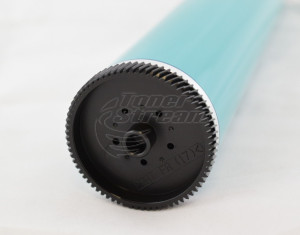
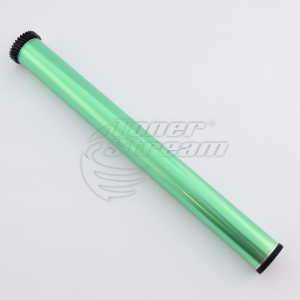
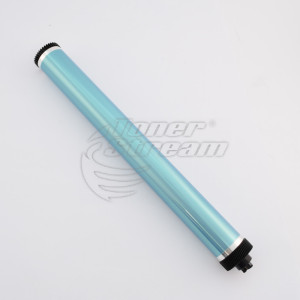
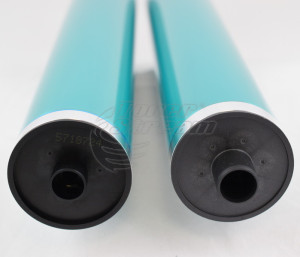
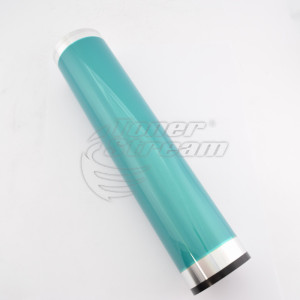
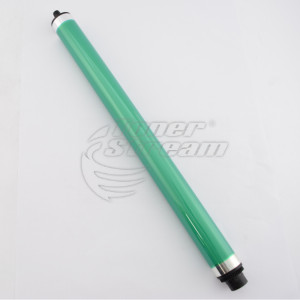
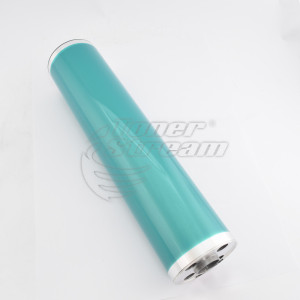
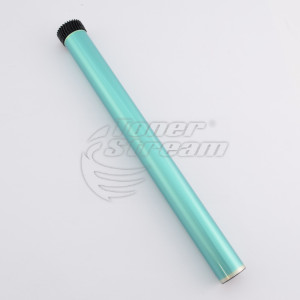
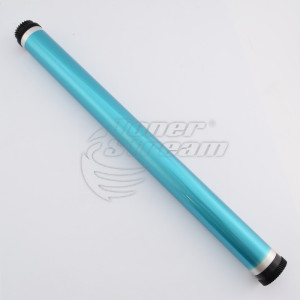
An OPC drum has a photosensitive surface on which the image to be printed is formed. Toner adheres to specific areas of this surface and is then transferred onto the paper. Therefore, the condition of the drum directly affects print quality. If its surface is worn or damaged, adding more toner will not solve the problem.

It is important to distinguish between an individual drum and a drum unit. The OPC drum is only the photosensitive cylinder, whereas the drum unit is an assembled component that includes the drum and other parts. In some devices, the drum is integrated into the toner cartridge. Before placing an order, check whether the product is an individual component or a complete unit, as their replacement procedures differ.

How to choose the right OPC drum?

Start by identifying the exact model of your printer or copier. The brand alone is not sufficient, as different series may use drums with different designs. Compare your device's model designation with the compatibility list in the product description.

Also consider the following characteristics:

  • compatibility with the cartridge or drum unit – their codes help you identify the replacement part you need. If a code is listed in the drum description, compare it with the code on your consumable;

  • intended application – check the type of printing and the unit for which the drum is designed, especially for color devices;

  • yield – the specified number of copies provides an estimate of the drum's expected lifespan and helps you determine whether it meets your workload requirements;

  • manufacturer and technical specifications – check the brand of the drum itself and the available technical information. A clear product description makes it easier to compare suitable options.

Drums that look similar are not always interchangeable. These details will help you choose the right option based on your device's requirements and print volume.

If you are unsure, confirm compatibility before purchasing by providing the device model and the cartridge or drum unit code.

When is replacement necessary?

Repeated dots, spots, and marks on printed pages may indicate a problem with the drum, but they are not sufficient for a definitive diagnosis. The cause may be contamination or a malfunction in another part of the printing system.

Before purchasing a replacement, inspect the device according to the manufacturer's instructions or seek professional service diagnostics. Keep a page showing the visible defect to help identify the cause.

If drum wear is confirmed, also assess the condition of the other components in the cartridge or drum unit. If additional parts are damaged, replacing the drum alone may not restore good print quality.

What should you consider when replacing an OPC drum?

The photosensitive surface is delicate. Do not touch it with your fingers, protect it from scratches, and avoid prolonged exposure to light. Keep the drum in its protective packaging until installation.

Replacing an individual OPC drum usually requires disassembling the cartridge or drum unit and carefully handling the photosensitive surface. If you do not have the necessary experience, consider having the installation performed by a specialist.

Explore the OPC drums available at TonerStream and choose one based on your device model and the consumable's specifications. Selecting the correct part and ensuring proper installation will help restore print quality.


FAQ – Frequently Asked Questions


  • What is the difference between an OPC drum and a drum unit?

    The OPC drum is the photosensitive cylinder installed in the drum unit, while the unit is the complete assembly. That is why the description of each OPC drum specifies which units it is compatible with. MINAPC3070OPC-CET, for example, is designed for the Konica Minolta DR-620, DU-102, DU-104, and DU-105 units. If you are looking for the complete assembly, browse our drum units.

  • Can one OPC drum be used in several machine models?

    Yes, when the machines use the same drum unit. MINAPC3070OPC-CET, for example, is compatible with 19 Konica Minolta devices, including the AccurioPress C3070 and Bizhub PRESS C1070. Check your model in the “Compatible Devices” list in the product description.

  • How can I tell when the OPC drum needs to be replaced?

    • Typical signs include:

      • repeating spots, dots, or lines at regular intervals along the length of the page;

      • a gray background in blank areas of the page.

      • If the defect persists after replacing the toner cartridge, the cause may be the drum or another component of the printing mechanism. If you are unsure, our service center can diagnose the device.

  • How can I replace the OPC drum without damaging it?

    Do not touch the photosensitive surface with your fingers, and do not leave the drum exposed to direct light for longer than necessary. Handle it only by the edges and install it immediately after unpacking. If you are not experienced in disassembling the unit, the replacement can be carried out at our service center.


tonerstream
tonerstream