





Printer maintenance should be performed regularly – depending on workload and device type – in order to prevent defects, paper jams, and deteriorated print quality. For home use, once every 1-2 years is usually sufficient, while in an office environment – every 3-6 months.
In the following lines, we will examine what maintenance includes and how to determine the proper interval for your device.
What does printer maintenance involve?
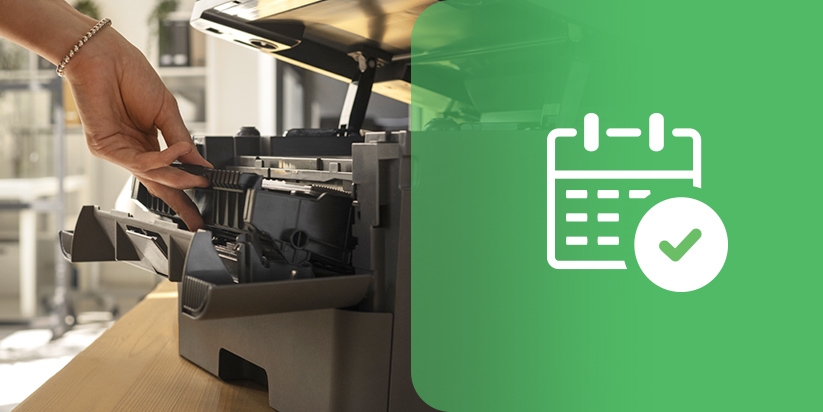
Maintenance is a set of technical procedures aimed at cleaning, inspection, and preventive servicing of mechanical and printing components.
It includes:
-
cleaning the interior from dust and paper debris – prevents sensor and roller blockage;
-
inspection of feed rollers – reduces the risk of paper jams;
-
checking the printhead or drum unit – ensures consistent quality;
-
diagnostic test page – identifies recurring defects.
Regular maintenance reduces the likelihood of costly repairs and extends the operational lifespan of the device.
How often should maintenance be performed based on workload?
The frequency depends on print volume and the working environment.
Home printer
If you print only a few pages per week, maintenance once every 1-2 years is sufficient. If the device is used rarely, it is advisable to periodically print a test page to prevent ink from drying out in inkjet models.
Office printer
With daily workload, maintenance should be carried out every 3-6 months. For high print volumes, the interval may be shorter, especially for laser devices where toner dust accumulation affects mechanical components.
Industrial and high-volume MFPs
For machines printing thousands of pages per month, maintenance is often scheduled based on the number of printed copies rather than on a calendar basis.
Regardless of the device type, regular maintenance according to actual workload is key to extending operational life and preventing expensive repairs.
Signs that your printer needs maintenance
Regardless of the schedule, certain symptoms require immediate inspection:
-
appearance of white lines or recurring dots;
-
smudging or gray background on the page;
-
frequent paper jams;
-
unusual noises during operation;
-
slow paper feeding.
Ignoring these signals may lead to damage to rollers, the fuser unit, or the printhead.
Step-by-step home maintenance
Before starting, always disconnect the device from the power supply.
Follow these steps:
-
Clean the exterior and interior with a soft cloth – avoid aggressive cleaning agents.
-
Check the rollers for dirt – if necessary, use a slightly damp cloth.
-
Run the software cleaning function – only if print quality has deteriorated.
-
Print a test page – to verify consistency.
These basic actions cover a large portion of typical issues in home use.
When is professional service required?
Consult a specialist in case of:
-
recurring defects at the same interval distance;
-
heavy toner contamination inside the housing;
-
mechanical noises or a burning smell;
-
system errors that persist after restart.
Professional service has specialized tools for deep cleaning and diagnostics that are not available to end users.
Key takeaways
To properly plan maintenance and avoid unexpected failures, consider the following essential guidelines:
-
home printers are serviced every 1-2 years;
-
office devices – every 3-6 months;
-
signs of malfunction should not be ignored;
-
preventive maintenance is cheaper than repair.
Regular maintenance ensures stable quality, less downtime, and a longer printer lifespan. It is an investment in reliability and predictability that saves time, money, and unnecessary stress in the long term.
Frequently Asked Questions
-
Should I clean the printer if it works normally?
Yes, preventive maintenance reduces the risk of sudden failures.
-
How long does standard service maintenance take?
Usually between 30 and 60 minutes depending on the model and condition.
-
Is it dangerous to disassemble the printer yourself?
Yes, it may cause damage or void the warranty.
-
Can a dusty environment shorten the device’s lifespan?
Yes, dust accumulation accelerates wear of rollers and mechanical parts.
-
Is scheduled maintenance better than waiting for a problem?
Scheduled maintenance is better because it prevents failures rather than reacting after they occur.