





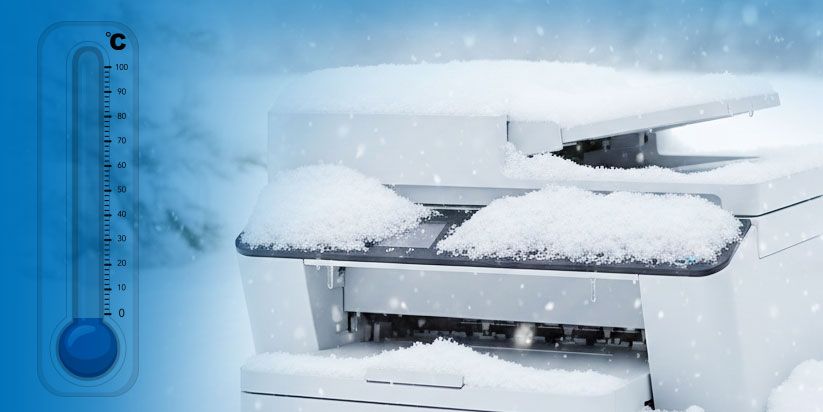
Low temperatures directly affect the operation of printers by altering the physical properties of consumables and the behavior of electronic components. In cold environments, print quality deteriorates, the risk of printhead clogging increases, and technical malfunctions may occur as early as device startup.
To avoid damage and unnecessary costs, printers must operate within an appropriate temperature range, and consumables must be properly stored and acclimatized.
How do low temperatures affect printers?
Printers are designed to function optimally within specific temperature ranges, which in most cases are between 10°C and 35°C. When the room temperature drops below these values, processes begin that affect both mechanical elements and the properties of inks, toners, and electronics.
Increased ink viscosity
At low temperatures, liquid inks change their consistency and become thicker. This makes it difficult for them to move evenly through the microscopic channels of the printing system and leads to uneven printing.
Additionally, the load on pumps in inkjet printers increases, which in the long term can shorten the device’s lifespan. As a result, streaks, missing colors, or delays during the printing process are often observed.
Printhead clogging
Thickened ink creates conditions for nozzle clogging. In cold environments, residual ink in the printhead may dry out faster or crystallize, blocking the supply of new ink.
This leads to permanent defects in print quality and is especially critical for industrial and UV printers, where the nozzles are extremely fine and require a constant and stable temperature.
Electrical issues during cold startup
Turning on a printer in an unheated room creates conditions for condensation to form on electronic boards. The combination of moisture and electricity increases the risk of short circuits, initialization errors, or the device locking up during the initial test.
These issues often go unnoticed at first, but over time they can lead to serious damage to the electronics.
Low temperatures affect not only working comfort but also the physical condition of consumables and the electronic components of the printer, necessitating stricter control of environmental conditions.
Typical toner cartridge problems during winter
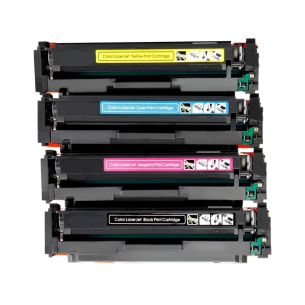
In addition to ink systems, low temperatures also affect laser printers. In their case, the effect manifests differently, as toner is a fine powder sensitive to electrostatic charge and air humidity.
Faded prints and missing characters
In cold environments, toner fails to build up the necessary electrostatic charge. This results in pale printing, uneven powder distribution, and missing parts of text or images.
If the paper is also cold or damp, the fusing unit cannot properly “fix” the toner, and the image on the sheet can easily smudge when touched.
Increased toner consumption
Low temperatures can also lead to faster consumption of consumables. Due to unstable toner particle distribution, the printer initiates more frequent automatic cleaning and calibration cycles.
This increases the amount of waste toner and has a direct impact on costs and the overall cost per print.
Acclimatization of cartridges before use
When toner cartridges are delivered in cold weather, they need time to adapt to room temperature. Installing them immediately after being in a cold environment increases the risk of condensation and improper operation.
Practice shows that leaving them for several hours at a stable temperature significantly reduces the likelihood of technical issues and print quality defects.
What preventive measures protect the printer during winter?
To ensure trouble-free operation of printing equipment during the cold months, it is important to apply several basic preventive measures. They do not require significant investment but have a noticeable effect on device reliability.
Warming up the equipment before printing
It is not recommended to start large print jobs immediately after turning on a printer in a cold room. Best practice is to leave the device in standby mode for a short period to stabilize the internal temperature.
This reduces the risk of startup errors and improves print uniformity.
Control of air humidity
Winter often leads to very dry air in heated rooms. This increases static electricity and causes sheets to stick together, which is one of the most common causes of paper jams.
Maintaining moderate humidity through appropriate means helps ensure more stable operation of the feeding mechanisms.
Temperature requirements according to printing technology
Different types of printers have specific requirements for the working environment. The most common technologies require the following temperature conditions:
-
Inkjet printers
Operate most stably within a range of 10°C to 45°C, with the risk of ink thickening increasing below this threshold. -
UV printers
Require higher and constant temperatures, usually between 20°C and 40°C, to ensure proper ink polymerization. -
DTF printing
The most sensitive to temperature fluctuations, with an optimal range of around 20°C to 25°C for high-quality transfer.
Following these parameters ensures a longer equipment lifespan and stable print quality throughout the winter season.
Low temperatures have a tangible impact on printer operation and should not be underestimated. Cold affects consumables as well as the electronic and mechanical components of devices. Maintaining appropriate temperature, proper acclimatization, and regular maintenance are key factors for reliable and long-lasting performance of printing equipment during the winter months.
Frequently Asked Questions
-
Can a printer be damaged if it is turned off but stored in a cold place?
Yes, prolonged storage in cold conditions can lead to condensation and corrosion of electronic components when the device is later powered on.
-
Does the type of paper used during the cold months matter?
Yes, lower-quality paper absorbs moisture more easily, which leads to feeding issues and reduced print quality.
-
Can frequent switching the printer on and off during winter cause problems?
Yes, frequent temperature changes increase stress on components and can shorten the device’s lifespan.