





Choosing a printer is not limited to brand and price. The most important parameters are the type of technology, print resolution, speed, cost of consumables, and total cost of ownership. If these factors are aligned with your actual needs, you will avoid unnecessary expenses and compromises in quality.
In the following lines, we will take a detailed look at which printer characteristics truly matter, how to evaluate them, and when certain parameters are critical for your type of work.
What type of printer should you choose?
The first decision is technological - inkjet or laser printer. This determines both the quality and long-term costs.
To make an informed choice, consider the following:
-
Inkjet printer
Suitable for printing photos and graphics with high color quality. It is usually more affordable in terms of initial price, but consumables can be more expensive with frequent use. -
Laser printer
Ideal for large volumes of text. It provides a lower cost per page with intensive printing and higher speed. -
Monochrome or color model
If you mainly print documents, a black-and-white laser printer is more economical. For marketing materials and presentations, a color model is required.
Choosing the technology is the foundation upon which all other parameters are built.
How important is print resolution?
Printer resolution is measured in DPI, which stands for “dots per inch,” and indicates how detailed and sharp the printed image will be. The higher the value, the finer and more precise the details.
At 600 DPI, the quality is fully sufficient for standard text documents. A resolution of 1200 DPI already provides better sharpness and is suitable for graphics and images. Values of 2400 DPI and above are mainly required for printing high-quality photos, where detail and smooth color transitions are essential.
However, it is important to note that higher resolution only has real value if it will actually be used. For an office where mainly text documents are printed, it is not a decisive factor.
Print speed – when is it crucial?
Speed is measured in PPM – pages per minute. This parameter matters when handling large volumes of work.
For home use, 10–20 PPM is sufficient. In an office environment, where dozens of pages are printed daily, it is reasonable to look for a model with over 30 PPM.
It is important to know that manufacturers often state the speed for black-and-white printing and in standard mode. Color printing is usually slower.
What does “monthly duty cycle” mean?
This is the maximum number of pages a printer can print per month without risk of damage.
The recommended monthly volume should be at least 20-30% below the maximum duty cycle to ensure a long device lifespan.
If you print around 2000 pages per month, look for a model with at least a 3000-4000 page recommended volume.
Consumable costs and cost per page
This is the parameter that is often underestimated.
A cheap printer may have expensive cartridges. Therefore, always check:
-
Price of original toners or inks
A cheaper consumable does not always mean more pages. -
Cartridge capacity
Number of pages that can be printed at a standard 5% coverage. -
Cost per page
Calculated by dividing the price of the consumable by the number of pages it can print. -
Availability of XL versions
Larger cartridges usually reduce the cost per page.
Here you need to think strategically – the total cost of ownership over 2-3 years is often more important than the purchase price.
Connectivity and functionality
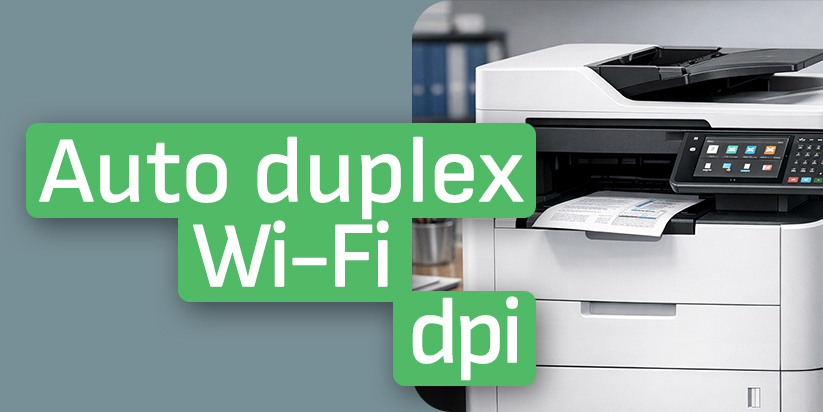
Modern printers offer a variety of connectivity and management options, but not all features are necessary for every user. The choice depends entirely on the environment in which the device will be used. For home use, Wi-Fi connectivity is often sufficient, allowing wireless printing from different devices. In an office environment, however, an Ethernet port is a more reliable solution for integration into a local network. Options for mobile printing through technologies such as AirPrint or Mopria are also becoming increasingly popular, making it easier to print directly from smartphones and tablets.
For higher workloads, automatic duplex printing is a significant advantage, as it reduces paper consumption and optimizes the process. If you need more functionality, multifunction devices with scanning and copying features provide additional convenience and save space.
Does size and tray capacity matter?
Yes, especially in office use.
Small models have an input tray of 100-150 sheets. Larger office printers reach 250-500 sheets or more.
A larger capacity means less frequent paper loading and fewer interruptions in the workflow.
Which parameters matter most depending on the type of user?
Different needs require different priorities.
-
Home use
For home use, the most suitable printer is one that combines an affordable price, good color print quality, and compact size. It is important that the device does not take up unnecessary space, while still providing sufficient detail when printing documents, photos, or study materials. The balance between price and functionality is key when choosing for home use. -
Small office
For a small office, it is important that the printer provides a low cost per page, as the print volume is usually higher. Automatic duplex printing is also a valuable feature because it reduces paper consumption and optimizes the workflow. Last but not least, network connectivity allows the device to be used by multiple employees simultaneously, which facilitates daily work and improves efficiency. -
Corporate environment
A corporate environment requires a printer with a high monthly duty cycle, capable of handling large volumes of documents without risk of overload. A large paper capacity and high print speed are also essential, as they minimize interruptions and improve workflow efficiency. In such an environment, reliability and performance are the leading factors in the selection.
Clearly defining your needs is the first step toward the right investment.
Ultimately, the most important printer parameters are those that affect long-term efficiency - printing technology, consumable costs, speed, and duty cycle. If you choose a model that matches your actual workload and document type, you will save money and avoid technical limitations in the future.