





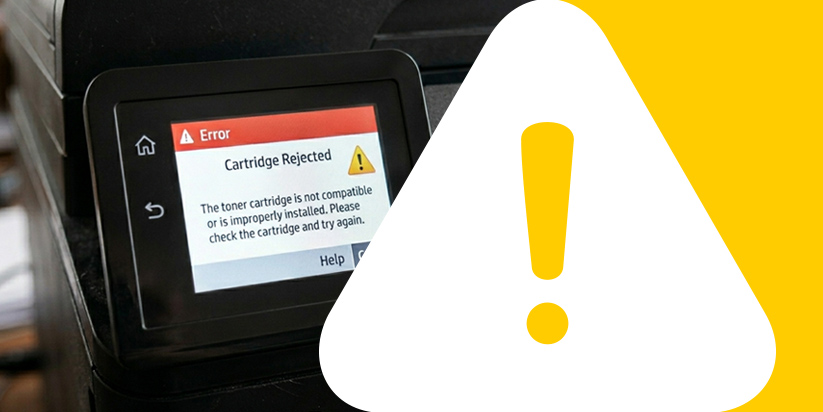
When a printer does not recognize a new cartridge, the cause is most often not a defect in the consumable itself, but a combination of software limitations, contamination, or improper system reset. The device simply fails to “register” the new cartridge as active.
Below, we will examine the main causes and solutions for resolving this issue.
Why doesn’t the printer recognize the new cartridge?
Most often, the device fails to detect the new consumable due to a conflict between memory, the chip, and the mechanical contact.
Main causes
The issue may result from several key factors:
-
Counter not reset
The printer continues to detect the old cartridge and does not start a new cycle. This leads to incorrect toner level reporting regardless of its actual state. -
Software limitations
The firmware may block the recognition of a new consumable. This often happens after automatic device updates. -
Chip issue
Lack of proper communication between the cartridge and the device results in an error. As a result, the printer cannot identify the cartridge as valid. -
Dirty contacts
Dust or residue interrupts the electrical signal. Even minimal contamination can lead to an unstable connection.
These causes show that the issue is rarely related to the cartridge itself. More often, it is a matter of software or mechanical incompatibility that can be easily corrected.
How to fix the issue?
Once you identify the cause, apply the appropriate solution.
Main troubleshooting steps
Here are the most effective actions:
-
Reset the counter
Use the printer menu to restart the tracking. -
Restart the device
Turn off the printer from the power supply for 1–2 minutes. -
Check the settings
Disable protective features if they are enabled. -
Clean the contacts
Use a dry cloth or a lightly dampened swab with alcohol.
After performing these steps, in most cases the issue is resolved.
How to prevent the issue?
Regular maintenance reduces the risk of errors and extends the lifespan of the equipment.
For better performance, follow these practices:
-
turn off the device before replacing the cartridge – this prevents errors in the printer’s memory;
-
insert the consumable correctly without applying pressure – this avoids damage to mechanical components;
-
avoid contaminating contact areas – ensures a stable connection between the cartridge and the device;
-
store cartridges in a dry environment – protects the chip and internal components from damage.
These actions ensure stable operation and fewer interruptions.
Impact of firmware updates on recognition
Modern printers often receive automatic firmware updates that can change how the device recognizes new cartridges. In some cases, after an update, additional restrictions or checks are activated, requiring re-synchronization between the cartridge and the system.
This means that even with a properly installed consumable, a temporary error may occur, which can be resolved by restarting or reverting to previous settings.
Common issues and solutions
For easier navigation, see the following common issues and their solutions:
-
no recognition – reset the counter so the printer can start tracking the new cartridge from the beginning;
-
system error – restart the device to clear temporary software issues and cached data;
-
no contact – clean the chip and contact areas to restore a stable connection;
-
blocked software – check settings and disable protective features that restrict recognition.
In most cases, failure to recognize a new cartridge is an easily fixable issue. With proper diagnostics and basic maintenance, you can restore normal operation without the need for servicing.
If you still need printer repair, you can contact us.
FAQ – Frequently Asked Questions
-
What does the “No Toner” error mean?
This means the printer has not updated the data for the new cartridge.
-
Can the problem be caused by the printer itself?
Yes, it is possible in case of worn or damaged contacts.
-
How long does it take to fix the issue?
Usually a few minutes with the correct actions.
-
Is resetting always required?
No, only when the device does not detect the new cartridge.
-
Is it dangerous to disassemble the printer?
Yes, it may lead to damage and void the warranty.